Pick an AI Chatbot Development Company
How do you know if an AI chatbot development company can actually ship something useful, not just demo something slick? It's the question most teams ask right...

How do you know if an AI chatbot development company can actually ship something useful, not just demo something slick? It's the question most teams ask right after the first polished sales call, and usually right before procurement turns it into a spreadsheet.
Fair question. According to a 2026 Makebot.ai report, 70–85% of AI initiatives miss their intended outcomes, and nearly half of proof-of-concept projects never make it to production. That's why picking a partner for AI chatbot development services can't be a vibes-based decision. In this guide, you'll see what to check, what to ask, and where good vendors quietly give themselves away.
What an AI Chatbot Development Company Actually Does
What are you really buying when a vendor shows you a chatbot that nails six polished answers in week two and leaves everyone in the room grinning?

I’ve watched that movie before. Clean UI. Neat little RAG setup. An LLM wired to a tiny knowledge base that looks smart for exactly as long as nobody asks anything weird. Leadership sees the demo, somebody says “this is ready faster than expected,” and three months later the team is stuck untangling why the thing falls apart the second real customers touch it.
That gap is where people get burned. Not because the demo was fake. Because it was narrow. In one project I saw, the test environment looked great right up until production traffic showed up with typo-ridden messages, half-finished account details, strange phrasing, missing context, and all the ugly edge cases users produce by 9:17 a.m. on a Monday.
The answer is this: an AI chatbot development company isn’t being hired to make something that chats back. It’s being hired to decide what kind of system you’re actually purchasing, how that system connects to your business, and who owns the fallout after launch.
But that’s also where the label gets slippery, because not every firm selling “chatbot development” is selling the same thing. I think that’s the biggest source of confusion in this market. One vendor is really a prototype shop. Another is basically a software integration team with conversation design on top. A third one sticks around for model updates, retrieval tuning, evaluation work, compliance checks, and support coverage through an AI chatbot support contract after everyone else has vanished.
I learned that the annoying way. One team I worked with hired a vendor that looked excellent early on. The prototype was smooth. Answers sounded polished. The staging environment behaved itself. Then live users came in with broken inputs, account problems, missing history, contradictory requests, and all the stuff demos quietly avoid. What we had bought wasn’t a working business system.
It was a prototype.
No serious chatbot architecture behind it. No real enterprise chatbot integration plan for the CRM or support stack. No fallback logic either, which still amazes me because rule-based flows do a ton of heavy lifting in conversational AI once production stops acting polite. If your retrieval misses or intent detection gets muddy and there’s no backup path, you don’t have automation. You have a very expensive coin flip.
This is where experienced firms separate themselves from demo shops. Flyaps gets this right: proven work in both AI-powered and rule-based chatbots matters because live traffic is messy, repetitive, contradictory, and sometimes just plain dumb. That’s not me taking shots at users. That’s just what happens in production.
After that mess, I started sorting vendors into three buckets instead of treating them like they were interchangeable.
Prototype vendors
These teams move fast, and sometimes that’s exactly what you need. Good for pilots, internal experiments, and proving an idea before anybody signs off on real spend. Bad choice if you expect scale, security review cycles, or fine-tuning for chatbots after user behavior drifts away from the script shown to leadership in the first demo.
Integration partners
This is where “chat” starts looking less like magic and more like software delivery. APIs matter here. Identity controls matter here. Routing logic, analytics, ticketing systems, search layers — all of it matters here. If the bot can’t connect cleanly to the systems your staff already use every day, you didn’t buy operations. You bought theater.
Long-term operators
These are the people who are still around after launch week ends and the invoice has already cleared. They handle model updates, retrieval tuning, evaluation work, compliance checks, and actual support coverage under an AI chatbot support contract. Nobody puts that part in giant letters on a sales deck because it’s not flashy work. It’s still the work keeping the system alive six months later.
If you don’t want to get fooled by a good demo, force specificity early. Use an AI chatbot vendor scorecard or a chatbot RFP template. Ask blunt questions about ROI assumptions, integration depth, data security, compliance ownership, and post-launch support before anyone gets swept up by polished answers on canned prompts. Glean’s guidance is solid on exactly this point: check those details before you get impressed — especially when you get impressed.
The funny part? The best partner may be the one whose demo feels slightly less magical because they keep talking about ticket routing, fallback trees, access controls, and who gets paged at 2:13 a.m. when retrieval starts failing instead of performing for applause. Still want the flashiest option?
Why Chatbot Projects Fail After Launch
Hot take: the model usually isn’t the thing that sinks the project.

The real mess starts after launch, when everyone acts like a smooth demo means the hard part is over. I’d argue that’s backwards. A bot can ace ten polished test questions in a conference room, look brilliant in front of leadership, and still turn into a very expensive source of confusion by week three.
A CTO once put it more cleanly than any vendor deck ever will: “The bot answers something for everything. That’s the problem.” That was three weeks after launch. In testing, the conversational AI looked solid. In production, it pulled stale policy text from the knowledge base, guessed at account-specific questions it shouldn’t have touched, and dumped half-resolved tickets into the support queue like a raccoon tearing through bins behind a restaurant at 2 a.m.
The vendor called it tuning. The business called it rework. I think it was a handover failure first, a data grounding problem second, and an ownership problem from top to bottom.
People love the upside stats because they sound neat on slides. Chatbot.com’s 2026 report says AI chatbots can handle up to 80% of routine questions. Up to. That’s not a guarantee. It’s a ceiling. You get anywhere close only if the architecture holds up, the grounding is clean, and somebody is still paying attention after go-live. Miss those pieces and the bot doesn’t reduce confusion. It scales it fast.
That’s why hiring an AI chatbot development company because the demo felt polished is such an easy way to burn budget. Fullestop is right about track record and industry experience. Prototype work and production work aren’t even close to the same job.
Weak handover is where momentum dies
This is usually the first crack.
The vendor ships. Everyone claps. Screenshots go to Slack. Somebody says “great work team.” Then your internal people inherit a system they didn’t build and don’t fully know how to run.
No runbooks. No escalation path. No named owner for fine-tuning for chatbots. No clear process for updating content when policy changes on Tuesday and the bot is still quoting last quarter’s version on Friday. I’ve seen teams realize this only after 17 angry Zendesk escalations hit in one afternoon, which is a brutal way to discover nobody owns post-launch maintenance.
If nobody’s watching, users do the monitoring for you
Most chatbot projects fail after launch because nobody is watching the right things closely enough to fix them quickly.
Even that doesn’t go far enough. Watching metrics without ownership is just spectating.
LLM deployment without evaluation is wishful thinking dressed up as strategy. You need live review of answer quality, fallback rates, containment, and actual business outcomes. Not fluff metrics pulled into a dashboard because they look nice in Monday meetings. Real ones. Did containment hit target? Did CSAT fall from 4.6 to 4.1? Did ticket volume jump 22% after release even though leadership was promised automation would cut load?
If you’re not tracking those numbers, failure won’t arrive as a clean alert in your dashboard. It’ll show up as annoyed customers, irritated agents, or finance asking why support costs went up right after the big efficiency push.
Bad grounding makes bots sound smart while being wrong
This one causes more damage because it sounds helpful while it’s failing.
If your RAG setup is thin, stale, or scoped badly, the bot doesn’t hesitate. It answers with confidence. That’s worse than “I don’t know.” Much worse.
Support teams feel it first. HR gets dragged in next. Finance eventually gets burned too. A refund policy quoted from an outdated page creates cleanup for support. An HR leave rule pulled from last year’s handbook creates cleanup for HR. A finance answer that sounds precise but never should’ve been generated creates cleanup for everybody unlucky enough to touch it later.
No owner means you didn’t buy outcomes
This is where buyers get fooled.
Not during the pitch deck. Not in the sandbox trial. Not during the flashy build phase everybody posts about on LinkedIn.
Six months later, that’s when you find out what you actually purchased.
Ask blunt questions early. Who owns containment targets? Who fixes retrieval quality? Who handles enterprise chatbot integration issues after launch? If those answers get vague fast, your AI chatbot development services probably end at deployment even if the proposal includes “optimization support” in a tidy table.
A lot of teams think they bought results when what they really bought was activity: workshops, prompt iterations, conversation flows, launch-day screenshots, maybe an analytics login nobody opens after month one.
The pattern repeats because people keep rewarding polish over accountability. Flashy build phase. Weak handover. Silence after launch.
The unexpected part? A bot that says “I’m not sure” at the right moment is often healthier than one that always has an answer. The dangerous system isn’t the quiet one. It’s the cheerful one that keeps being confidently wrong while nobody owns fixing it.
AI Chatbot Vendor Scorecard: What to Evaluate
Last fall, on a Tuesday at 2:17 p.m., I watched a sales engineer breeze through a chatbot demo like he was playing a rehearsed piano piece. Fast answers. Nice interface. Clean handoff screens. Everybody in the Zoom grid looked impressed. Then the buyer asked a plain, ugly enterprise question: “Show us how this works with Salesforce, Okta, Zendesk, and our internal order API after login — especially if two knowledge sources disagree.” Dead air. Not long. Maybe six seconds. Felt like sixty.
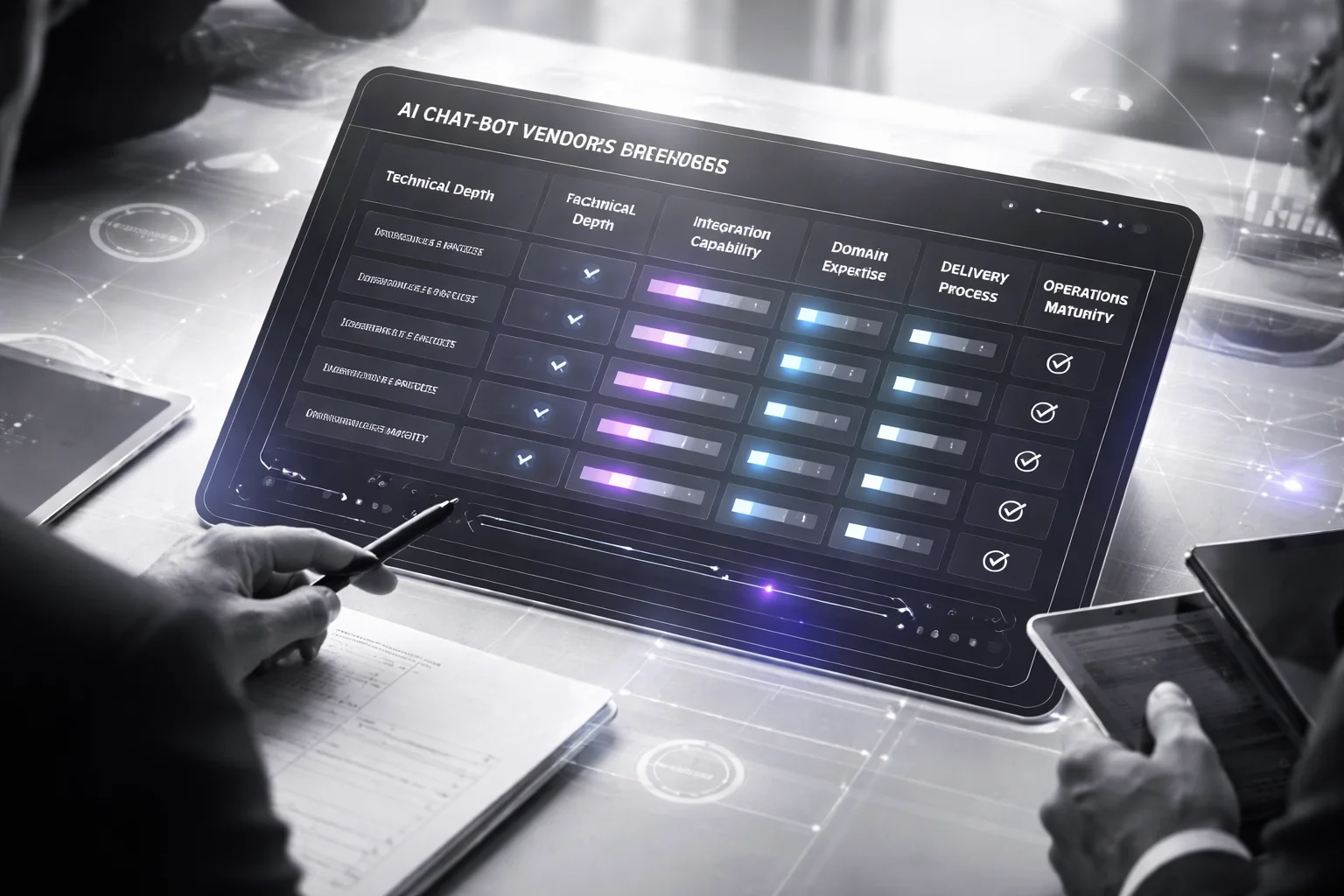
That's the moment that matters.
Not the polished assistant. Not the canned FAQ flow. The real test is whether the vendor can survive contact with your actual systems, your messy data, and your internal contradictions without turning the whole project into a six-month apology tour.
Chatbot.com said in 2026 that business adoption jumped about 4.7x. You could feel that shift even without the stat. Suddenly every vendor had a demo. Every proposal looked suspiciously familiar. Same confidence. Same logos. Same “trust us” vibe. I don't buy it.
I think most scorecards are upside down. They reward what presents well instead of what holds up under pressure. Silvertouch was right to push for business-goal alignment over pure technical flash, but I'd go further: if your scorecard loves features more than fit, it's probably helping you choose the wrong vendor.
I'd score five things. Not evenly. By risk.
Technical depth — 30%
Ask them to explain how the thing actually works without hiding behind model brand names like they're magic spells.
Which models are they using? Why that deployment pattern? How is RAG configured? Where are they still using rules because rules are better? When does fine-tuning for chatbots make sense, and when is it just an expensive way to avoid fixing retrieval?
The good vendors don't sound slick here. They sound specific. They talk in tradeoffs.
A serious AI chatbot development company might tell you a support bot should begin with retrieval plus guardrails, then only move to fine-tuning after repeated production failures show a stable pattern that can't be fixed upstream. That's judgment. “We use OpenAI” isn't judgment. “We support Anthropic” isn't architecture either. It's shopping with nicer fonts.
Push harder. Ask how they test retrieval quality. Ask what happens when two source documents conflict — one says a refund window is 14 days, another says 30. Ask what the bot does before it answers wrong with confidence.
Integration capability — 25%
This is where a lot of AI chatbot development services quietly crack.
The bot looks great alone. Then real life shows up: CRM records need fetching, identity has to be checked through Okta, ticket context has to land in Zendesk, analytics events have to be logged somewhere useful, and an internal API you've had since 2018 decides it hates clean abstractions.
Make them draw one production workflow end to end. Authentication. Data fetch. Response generation. Escalation path. Logging trail. Not an airy slide full of vague boxes and arrows that could describe payroll software or a food delivery app. The real flow, with actual system names.
If they can't map how data moves through Salesforce, Zendesk, your identity layer, and internal APIs without hand-waving, you're not buying an enterprise chatbot integration partner. You're buying demo software with aspirations.
If you're doing deeper diligence on controls around access boundaries and data movement, read this guide on enterprise chatbot development security governance before you pick a finalist.
Domain expertise — 20%
A healthcare bot without compliance instincts is dangerous before it even launches.
A B2B support bot that doesn't understand product taxonomy will misroute tickets faster than your old form ever did, and then somebody will blame automation instead of bad implementation.
You need a team that understands your business rules well enough to stop bad automation before it ships. Ask for two relevant case studies from your industry and one ugly lesson they learned there.
The ugly lesson matters most.
If all you hear are victory laps, I'd argue you're talking to marketers or people who haven't been in production long enough to get burned yet. Real operators have scars: failed intents, broken escalations, bad source content, compliance reviews that caught something embarrassing at the last minute.
Delivery process — 15%
This part sounds boring right up until month four, when your proof of concept stalls because nobody agreed what “done” meant.
Your chatbot RFP template should ask for milestone outputs by phase: discovery brief, conversation design map, retrieval testing results, UAT plan, launch checklist.
Spell out acceptance criteria early or you'll regret it later. Clear discovery matters. Measurable acceptance criteria matter. Staged release planning matters. Post-launch evaluation matters too, because plenty of teams celebrate go-live and then never really measure whether the thing improved anything beyond slideware morale.
Makebot.ai reported in 2026 that nearly half of proof-of-concept projects never reach production. Nearly half. That's not usually because the original idea was dumb. It's because delivery discipline fell apart somewhere between kickoff optimism and implementation reality.
Operational maturity — 10%
This is the section people skim until something breaks at 2 a.m.
Your AI chatbot support contract shouldn't be filler text. It should name owners for monitoring, retraining decisions, prompt updates, incident response, and SLA-backed support.
Ask what gets reviewed every week. Ask who handles failed responses overnight. Ask how conversational AI performance gets reported back to your team in plain English instead of some dashboard everyone stops opening after week three.
I once saw a vendor claim they had “continuous optimization,” which turned out to mean one person checking logs on Fridays if nothing else came up. So ask names. Ask cadence. Ask what happened during their last incident.
Score each category on a simple 1-to-5 scale and multiply by weight. A vendor pulling a 5 for charm but a 2 for integration should lose to the one posting steady 4s across the board every single time.
The funny part is this kind of scorecard often knocks out the “most innovative” option first. Good. Sometimes that's exactly what should happen. Are you buying theater, or something your team can still live with six months from now?
RAG, Fine-Tuning, and Architecture Choices
I watched this go sideways in a procurement meeting in late 2025. Vendor walks in, throws GPT-4.1 and a glossy system diagram on the screen, runs one perfect demo question, gets one perfect answer, room goes quiet like we’ve all seen magic. Six weeks later, the same bot tells an employee to follow a reimbursement policy that Finance replaced last quarter. Old PDF got retrieved. Nobody had planned for conflict. Nobody had planned for “nothing useful found” either.
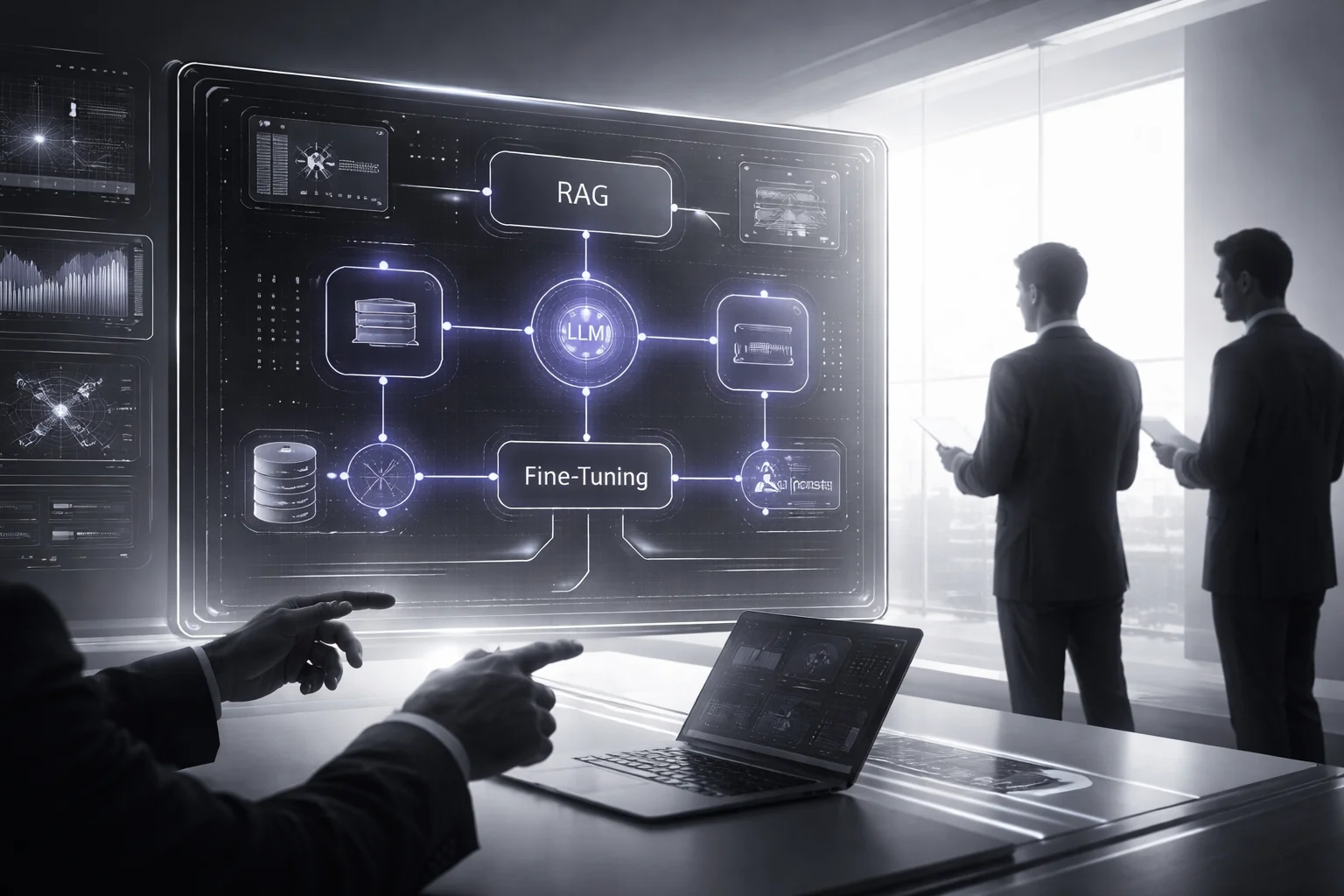
That’s the mistake. People buy the demo. They don’t inspect the failure mode.
70–85%. That’s the share of AI initiatives that miss their intended outcomes in a 2026 Makebot.ai report. I think that number should make you deeply suspicious of any AI chatbot development company that leads with model names and pretty architecture slides but can’t explain what happens when the system is wrong, uncertain, or empty-handed.
I’d argue you shouldn’t buy “AI” at all. Buy decisions. Buy the parts you can question: retrieval setup, fine-tuning choices, prompt rules, fallback behavior under normal messy real-world use.
Here’s the framework I use now because I’ve seen too many teams learn this the expensive way.
1. Check retrieval like it’s going to fail
A weak vendor says, “We use RAG.” Great. So does half the internet. A serious team gets specific fast: what exactly is retrieved, how documents are chunked, how relevance is scored, which metadata filters narrow results, and what happens if retrieval comes back thin, stale, or useless.
That last question matters more than most buyers realize. If their answer is basically “the model figures it out,” that’s not architecture. That’s wishful thinking with a budget attached.
Ask for a concrete flow. Policy documents indexed in Pinecone or Azure AI Search. Approved sources only. No freelancing outside those sources. Show me the retrieval source, show me the chunk size logic, show me how they handle two conflicting documents dated March 2025 and January 2026. Real systems hit conflicts all the time.
Security lives right here too, not off in some compliance appendix nobody reads. DBB Software has made this point clearly: retrieval and storage both need full encryption, and inputs need tight control before they ever touch the system. Ask how sensitive fields are masked before retrieval. Ask how prompt injection paths are blocked. If they can’t answer in plain English, their chatbot architecture probably looks better in Figma than it does in production.
2. Start with RAG unless they can prove otherwise
This one’s simple. Fine-tuning changes behavior. RAG changes context.
If your knowledge base changes every week—and most real company knowledge bases do—you usually want the thing that updates without retraining every time someone moves a policy PDF into a new folder or rewrites a support article on Friday at 4:47 p.m.
A careful AI chatbot development company should tell you to go retrieval-first for policy docs, product manuals, support articles, and internal SOPs. That’s the sane default.
Fine-tuning for chatbots starts to make sense when you need durable response style, domain phrasing that has to stay consistent over thousands of replies, or repeated task patterns prompts can’t keep stable enough on their own. Even then, I want them to prove prompting and retrieval were pushed hard first. Not guessed at. Proved.
Ask for two examples: one from customer support, one from internal operations. Make them explain why RAG wins in one case and why fine-tuning earns its keep in another.
3. Separate prompt design from prompt theater
I’m tired of “secret sauce” prompt decks with glowing arrows.
Good prompt design is boring in a good way. Explicit instructions. Clear role boundaries. Tool-use rules. Refusal criteria. Tested examples for ugly edge cases no salesperson wants to click through live.
Make them show two real flows.
- Flow one: the conversational AI answers from approved documents only, such as content indexed in Pinecone or Azure AI Search.
- Flow two: it hands off to a human when confidence drops or intent detection gets fuzzy.
If they can’t show prompt versioning during LLM deployment and explain how they evaluate prompts over time, you’re not hearing engineering discipline. You’re hearing marketing with nicer fonts.
4. Judge the system by what it refuses to do
This is where grown-up teams spend time.
“I don’t know” behavior matters. Escalation rules matter. Human handoff triggers matter. Rule-based containment for high-risk intents matters even more if this thing touches HR policies, reimbursements, benefits questions, security workflows—anything people might act on without double-checking.
The bot that politely stops is usually safer than the bot that confidently fills gaps with nonsense.
Add these questions to your AI chatbot vendor scorecard or chatbot RFP template:
- When do you choose RAG over fine-tuning? Ask for one example from support and one from internal ops.
- How do you test retrieval quality? Look for precision checks, grounding tests, and bad-answer reviews.
- What’s the fallback path? Ask about low-confidence responses, missing documents, and conflicting sources.
- How do you protect sensitive data? Tie this back to enterprise chatbot integration and access controls.
If you want a deeper checklist before shortlisting vendors, read Ai Chatbot Development Company Vendor Guide.
Then do one thing that saves a lot of pain: make every bidder draw the same architecture on one page in plain English. Retrieval source. Prompt rules. Fallback path. Security controls. All of it.
If they can’t explain it simply, why would you trust them to build it expensively?
Integration Experience: CRM, Databases, and Workflows
I watched a team burn six weeks on a chatbot that sounded fantastic and did almost nothing useful.
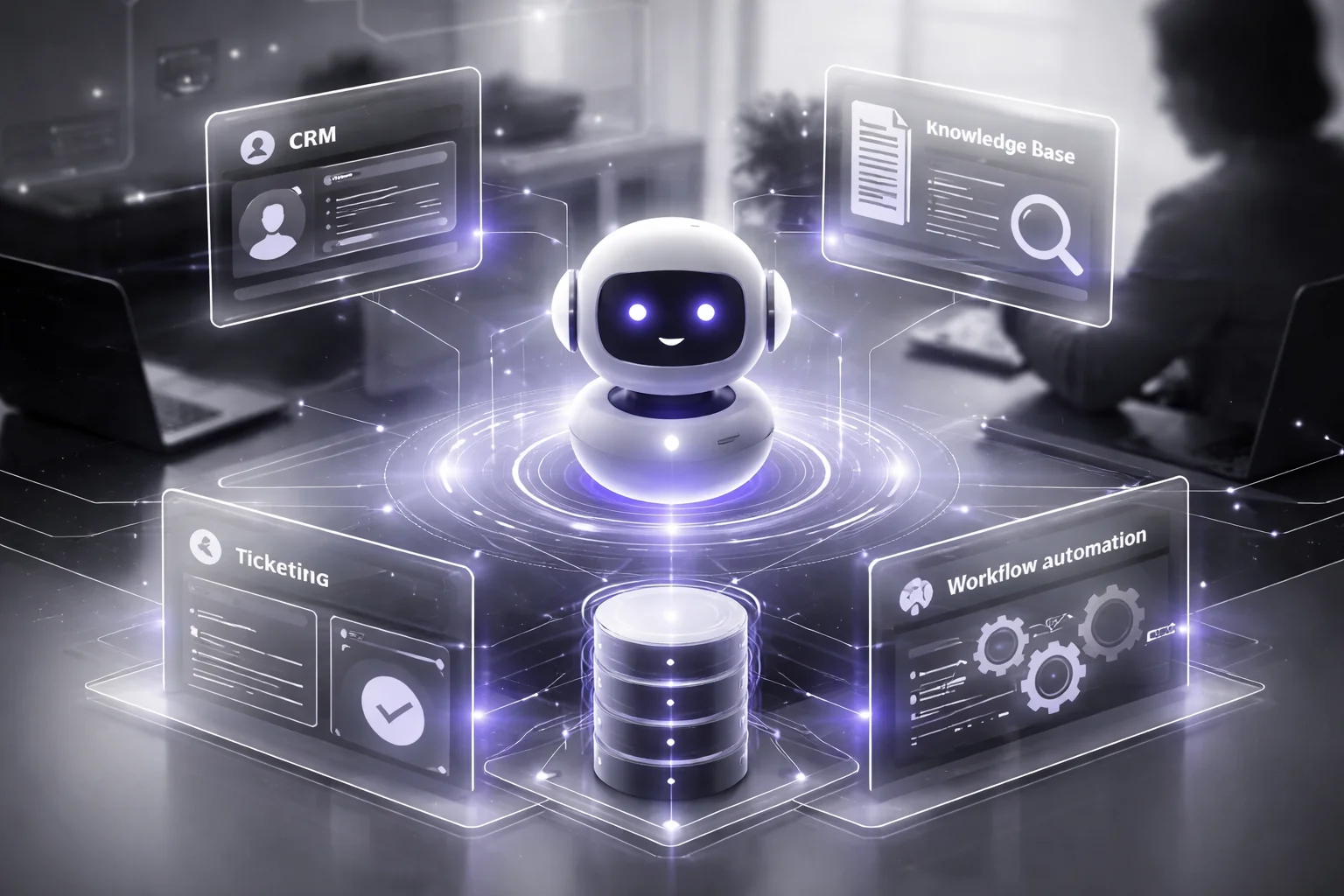
The demo was slick. Week two, everybody was grinning because it answered five handpicked questions perfectly, the dashboard looked polished, and yes, there was a Salesforce logo sitting proudly on one of the slides like that settled the matter. Then an actual workday hit. A user wanted to update a Zendesk case, check account status from PostgreSQL, look up contract terms stored in SharePoint, and create a follow-up task in HubSpot before lunch. That's when the whole thing started wheezing.
The model wasn't the problem. The plumbing was.
People keep saying integration matters. Sure. But I think most teams say it in the laziest possible way, like they're checking a box on a procurement form. Can it connect to Salesforce? Great, done. No. That's old thinking. A bot that merely “connects” but can't read the right record, write back cleanly, and kick off the next action without leaving your staff to mop up the mess is barely useful.
I've seen this movie before. The bot answers nicely, everyone claps, and then support agents are still copying notes between systems by hand at 4:37 p.m. on a Thursday because nobody designed what happens after the response.
That's where projects die. A 2026 Makebot.ai report said nearly half of proof-of-concept projects never reach production. This is a big reason why.
The real lesson sits in the middle of all this: your chatbot creates value only if it can pull from the right systems, update the right systems, and move work forward without cleanup afterward.
Miss that, and you've built a very expensive FAQ widget.
Saawahi IT Solution seems to get this better than a lot of vendors do. The partner you hire shouldn't act like a code shop waiting for requirements to drop into Jira. They should act like an operator who understands how the business process actually works before anyone writes code. If your AI chatbot development company can't explain the process behind the conversation, you'll end up with conversational AI that's polished on the surface and useless underneath.
The framework I'd use to judge integration work
Forget promises. Ask them to prove three things: what the bot can read, what it can write, and what it can trigger next.
- What it can read: Customer history from Salesforce or HubSpot. Approved content from Confluence, Notion, or SharePoint through RAG. Order status, subscription details, or inventory data from controlled API connections into databases instead of letting an LLM make things up and hope nobody catches it.
- What it can write: Interaction summaries back into CRM records. Ticket updates inside Zendesk, Freshdesk, or Jira Service Management with clean metadata attached. Notes that don't force an agent to retype the same thing somewhere else five minutes later.
- What it can trigger: Lead routing based on intent detection and entity extraction. Approval flows. Slack alerts. Task creation. Refund reviews started automatically from chatbot architecture rules.
There's another place buyers get distracted: fine-tuning for chatbots. It's sold like wizardry. It isn't. Not for this problem. Most broken bots don't need more training first. They need cleaner system boundaries, permission-aware retrieval, sane workflow design, and someone willing to map what happens after reply number one.
What to make them show you
Ask for one live workflow diagram from end to end.
Not a vague box labeled “AI layer.” A real flow with names on it.
User asks for an invoice copy. What system authenticates them? Which database gets queried? What happens if the invoice record is missing? Where does the interaction get logged? Who gets notified if confidence drops below their threshold — 0.78, 0.82, whatever number they've chosen?
If they can't walk that through clearly, they're probably selling theater.
A capable setup should be able to show all of this in concrete terms: CRM integration that reads history from Salesforce or HubSpot and writes summaries back; knowledge base integration using RAG against Confluence, Notion, or SharePoint while respecting permissions at query time; ticketing actions inside Zendesk, Freshdesk, or Jira Service Management; database access through controlled APIs for live business data; workflow automation that sends Slack alerts, creates tasks, triggers approvals, or starts refund reviews automatically.
If your AI chatbot development services stop at answer generation, you don't have automation at all. You have a nicer-looking delay between question and manual work. So after the bot replies — then what?
Sample RFP and Contract Language for Support
1 hour. That's the number that gets people to sit up straight. It should also be your Severity 1 response window, and honestly, anything softer than that for a production chatbot is asking for trouble.

I think this is where a lot of teams get lulled to sleep. The demo works. Launch day looks clean. Someone says “we offer post-launch assistance,” everybody nods, and then around week ten — I've seen it happen right around there — the bot starts returning bad answers, retrieval fails in a live workflow, and now you're stuck in that miserable meeting where the vendor says support means one thing and your team thought it meant another.
Most buyers know to ask for an SLA. That's not the hard part. The hard part is making the SLA say what actually matters for AI chatbot development services: what gets measured, who owns failed-answer review, who tunes RAG, who approves fine-tuning for chatbots, how fast an enterprise chatbot integration issue gets fixed, and what happens once real users start pushing the system in ways nobody predicted in testing.
That's why vague contract language is such a trap. “Ongoing optimization.” Sounds nice. Means almost nothing. “Post-launch assistance.” Same problem. It doesn't tell you who handles response-quality degradation, who investigates retrieval issues, or who fixes a broken handoff between systems at 8:30 on a Tuesday morning after your support queue spikes.
The bigger point sits right here in the middle of all this: AI chatbot development usually isn't a one-and-done project. Rishabh Software has said as much — AI-powered chatbot development works best as a custom system shaped around customer needs, not some generic automation layer dropped on top of a business. I'd argue that means your support terms need to match your actual setup, your risk level, and your LLM deployment model, not some recycled managed-services PDF the vendor sent to six other companies last quarter.
So get specific. Put language like this into the RFP or contract, then tune the thresholds based on risk instead of copying them blind:
- SLA scope: “Vendor will provide severity-based support for production incidents, retrieval failures, integration defects, and material response-quality degradation.”
- Response times: “Severity 1 issues receive response within 1 hour and continuous work until containment. Severity 2 issues receive response within 4 business hours.”
- Monitoring: “Vendor will monitor uptime, fallback rate, hallucination rate, containment rate, escalation volume, and knowledge retrieval accuracy weekly and report findings monthly.”
- Knowledge transfer: “Vendor will deliver runbooks covering prompts, model settings, workflows, APIs, rollback steps, and admin procedures before go-live.”
- Training: “Vendor will train business admins, support leads, and technical owners on content updates, analytics review, escalation handling, and change approval.”
- Change management: “No production model change, prompt change, or fine-tuning release may occur without documented testing and customer approval.”
If you're still early and want something more useful than vague sales promises before legal redlines start flying around, this guide on Ai Chatbot Development Company Vendor Guide is a solid place to start comparing vendors.
A careful AI chatbot development company won't get weird just because you've made the support language specific. They'll work through it with you. They'll tighten wording where it needs tightening. That's usually the tell. So what are you actually buying here — support you can enforce, or ambiguity dressed up to sound reassuring?
Where this leaves us
The right AI chatbot development company isn't the one with the flashiest demo, it's the one that can design sane architecture, handle enterprise chatbot integration, and stay accountable after launch.
So your next move is pretty simple: score vendors on operating reality, not theater. Push hard on knowledge base integration, CRM integration, workflow automation, security and access controls, data privacy and compliance, and the exact terms of the AI chatbot support contract. If a team can't explain failure handling, model monitoring and evaluation, RAG (retrieval augmented generation), and who owns fixes after go-live, that's not a small gap. That's the whole risk.
Most people get this wrong by buying a bot. The better way to think about it is that you're buying a long-term system, and a partner who can keep that system useful under real pressure.
FAQ: Pick an AI Chatbot Development Company
What does an AI chatbot development company actually do?
An AI chatbot development company plans, builds, integrates, tests, and maintains chatbot systems for your business. That usually includes conversational design, chatbot architecture, LLM deployment, knowledge base integration, API integration, security controls, and post-launch monitoring. The good ones don't just ship a bot, they tie it to a business outcome like lower support volume, faster response times, or better lead qualification.
How do I evaluate an AI chatbot vendor before hiring them?
Start with proof, not promises. Ask for live examples, relevant industry experience, enterprise chatbot integration references, and a clear explanation of how they handle ROI, data privacy and compliance, and model monitoring. Glean's vendor guidance puts ROI, integration capability, security, and compliance at the center, and that's the right place to start.
What should be included in a chatbot RFP?
Your chatbot RFP template should spell out use cases, target users, required integrations, security requirements, acceptance criteria, KPIs, support expectations, and ownership of data and prompts. Be specific about channels, languages, workflow automation needs, escalation rules, and whether you expect RAG (retrieval augmented generation), fine-tuning for chatbots, or both. If you leave those fuzzy, vendors will fill in the blanks their way, and you probably won't like the result.
When should we choose RAG instead of fine-tuning for our chatbot?
Use RAG when your chatbot needs fresh, source-based answers from internal documents, policies, product data, or a changing knowledge base. Use fine-tuning when you need the model to consistently follow a specific tone, response format, or task behavior across many interactions. In practice, many enterprise teams use both, because retrieval solves accuracy and freshness while fine-tuning shapes behavior.
How long does it take to deploy an enterprise AI chatbot?
A focused pilot can go live in 6 to 12 weeks, while a full enterprise rollout often takes 3 to 6 months or more. The timeline depends less on the model and more on integration work, security review, data cleanup, and approval cycles. Nearly half of proof-of-concept projects never reach production, according to a 2026 Makebot.ai report, which tells you where the real delays usually sit.
What integrations matter most for an enterprise chatbot?
The critical integrations are the ones that let the bot do useful work, not just answer questions. For most companies, that means CRM integration, ticketing or help desk systems, identity and access controls, internal knowledge bases, and workflow automation through APIs. If the chatbot can't read the right context or trigger the next step, it's basically an FAQ with better manners.
What security and privacy requirements should we put in the contract?
Require encryption in transit and at rest, clear data retention rules, role-based access, audit logs, incident reporting timelines, and strict controls over what data is sent to the model. You should also define whether customer data can be used for training, where data is stored, and how the vendor supports compliance needs. DBB Software specifically calls out full data encryption during retrieval and storage, and that's not optional if your bot touches sensitive information.
What should an AI chatbot support contract and SLA include after launch?
Your AI chatbot support contract should define response times by severity, uptime targets, bug-fix windows, model update procedures, retraining scope, and who handles prompt changes versus code changes. It should also cover monitoring and evaluation, incident response, rollback plans, and reporting on KPIs like containment rate, handoff rate, and answer accuracy. This matters because chatbot projects often don't fail at launch, they fail three months later when nobody owns the fixes.