AI Business Process Agent Integration Depth
Most AI agent rollouts fail before they fail. They look impressive in a demo, then collapse the second they touch real approvals, messy data, brittle APIs, and...

Most AI agent rollouts fail before they fail. They look impressive in a demo, then collapse the second they touch real approvals, messy data, brittle APIs, and the people who actually run your business. That’s the uncomfortable truth behind AI business process agent integration, and yes, there’s evidence for it.
You can see it in the numbers. According to a 2026 Digital Applied summary, 80% of enterprises report at least one production application embeds an AI agent, but only 31% of organizations are actually running one in production. That gap isn’t hype. It’s integration depth. This article breaks down the five layers that separate a flashy pilot from an agent that can survive inside real business processes.
What Is an AI Business Process Agent?
Everybody says the same thing first. "It's an AI bot that helps your team move faster." Sure. Cute line. Sounds great in a demo at 2 p.m. on a Thursday.

Then Monday hits at 9:12 a.m., a sales manager drops a Slack message asking for contract status before a customer call, and the bot gives that slick one-system summary that feels useful right up until someone asks the obvious follow-up. The approval is sitting in another app. The pricing exception is buried in email. Legal flagged a hold inside the CRM. Now what?
I've watched this happen enough times that I don't really buy the marketing version anymore. Most companies don't have an AI business process agent. They have a chatbot with good manners.
That's the part people miss. An AI business process agent isn't there to spit back an answer from one API and pretend the job's done. It has to understand context, make bounded decisions, carry work across a workflow, deal with rules, touch the right systems, respect approvals, and know when to stop and ask a human. That's business process management territory, not just conversational polish.
People also keep muddling RPA and AI agents, and I'd argue that's outdated thinking. RPA does exactly what you scripted: click here, copy that, paste this, don't improvise. An AI process automation agent can interpret intent, choose among several actions, ask for missing information, and hand off to a person when confidence drops. Same family? Maybe. Same thing? Not even close. One follows instructions like a checklist taped to a monitor. The other notices the checklist no longer matches reality.
The market already moved on from the "maybe someday" phase. A 2026 Digital Applied report citing Gartner data said 80% of enterprises had at least one production application with an embedded AI agent. In 2024, that figure was 33%.
That's not lab work anymore. That's deployment.
And where are companies putting these agents? Not in some isolated sandbox nobody uses. Merge reported in 2026 that businesses were prioritizing integrations with Microsoft Teams, Slack, and MCP servers, with 73% expecting to use MCP by the end of 2026. Sounds ambitious until engineering has to wire it up for real. In the same report, 70% said authentication, error handling, and normalized data models for MCP were technically demanding.
I've seen teams lose six months right there—auth breaks in one environment, IDs don't match across systems, somebody assumes email is the source of truth when Salesforce says otherwise, and suddenly the "agent" is just generating confident guesses faster than before.
So here's the missing piece: integration depth is the whole game. Shallow integration gives you prettier interfaces and nicer summaries. Deep integration gives you agentic automation that can actually complete work.
If you're building a business process agent framework, don't start with ten workflows and a giant budget review deck nobody wants to read. Pick one cross-functional workflow end to end. Use process mining if you have it. Watch where work actually moves, where it stalls, where people hop between systems, where approvals get strange. Then map four things: what the agent should read, what it should decide, what it should do, and where it has to stop for a human.
That's usually the unglamorous step teams skip because demo videos are more fun than operational truth. It's also the step that saves rework later.
If you want a practical way to judge fit before spending more on implementation budgeting, read Ai Agents For Business Process Fit Framework. Because really—if your agent can't survive one messy contract-status question in Slack, what exactly did you build?
Why Demo Success Misleads Buyers
Why does the agent look brilliant in the meeting and fall apart the second it touches real work?

I’ve watched this happen in rooms where everybody should’ve known better. Nice deck. Clean UI. A rep clicks through a perfect sequence, the agent grabs data from one system, updates another, posts a neat little note into Slack, and suddenly people start talking like the hard part is over. In 2026, Merge said 66% of companies will integrate agents with chat platforms. I believe that. Dropping a status update into Slack or Teams is the easy part.
The ugly part never makes the demo. Nobody shows you the broken payload coming out of a legacy ERP. Nobody opens Salesforce and says, “Here’s what happens when permissions are misconfigured for three regional teams.” Nobody waits through an approval queue that sits untouched for 18 hours because finance thinks ops owns it and ops thinks finance does. Nobody shows records failing to match between ticketing and billing on a Tuesday at 5:12 p.m. because one field changed names overnight.
The numbers are brutal if you stop and look at them. A 2026 Digital Applied summary citing Gartner says 80% of applications now embed an agent. Only 31% of organizations are actually running one in production. That’s a 49-point gap. I think that gap explains almost every flashy AI pitch buyers clap for.
Here’s the answer: most demos are theater, not proof of AI business process agent integration. They’re built on the cleanest path anyone could find, then stripped of every annoying detail that makes production expensive, political, and slow.
But even that undersells the problem. Buyers aren’t just being fooled by polish. They’re buying the oldest software fantasy there is: if the front end looks smooth enough, maybe the back end won’t matter much. Datagrid cited McKinsey in 2025 saying fewer than 10% of organizations have scaled AI agents successfully even in a single function. Less than 10%. That’s not bad luck. That’s people confusing a slick interface with AI agent integration depth.
A real AI process automation agent doesn’t prove itself by getting one answer right on stage. It proves itself at 4:47 p.m. when an invoice arrives with the wrong vendor ID, routes to the correct approver anyway, logs why it paused, follows BPM rules, survives an exception, respects access controls, and doesn’t crash because some admin changed a field name last Tuesday without telling anyone. That’s where workflow orchestration stops being a nice feature list item and becomes the whole job.
This is where teams also get sloppy about RPA versus AI agents. They want agentic automation to think around corners like a veteran ops manager while costing about as much as a macro recorder from 2017. I’d argue that’s pure wishful thinking. Doesn’t work.
The teams actually getting somewhere aren’t winging it. PwC said in its 2026 AI predictions that successful organizations centralize deployment with shared libraries, templates, tools, testing, and feedback loops. The 2026 arXiv study on agentic business process management landed in basically the same place: you need a structured business process agent framework, and humans need to stay informed, involved, and empowered. Not as decoration. As part of how the thing survives contact with reality.
So don’t budget around the demo reel. Don’t budget around the chatbot voice either. Run process mining first. Find the permission failures, approval bottlenecks, stale queues, and data-quality breaks before anybody starts applauding a prototype. Build your AI agent implementation budgeting around those failure points — the ones that already exist in ERP, CRM, ticketing, and finance — not around some rehearsed happy path somebody nailed on take six.
The Process Agent Integration Depth Framework
How does a harmless little bot turn into a finance risk?
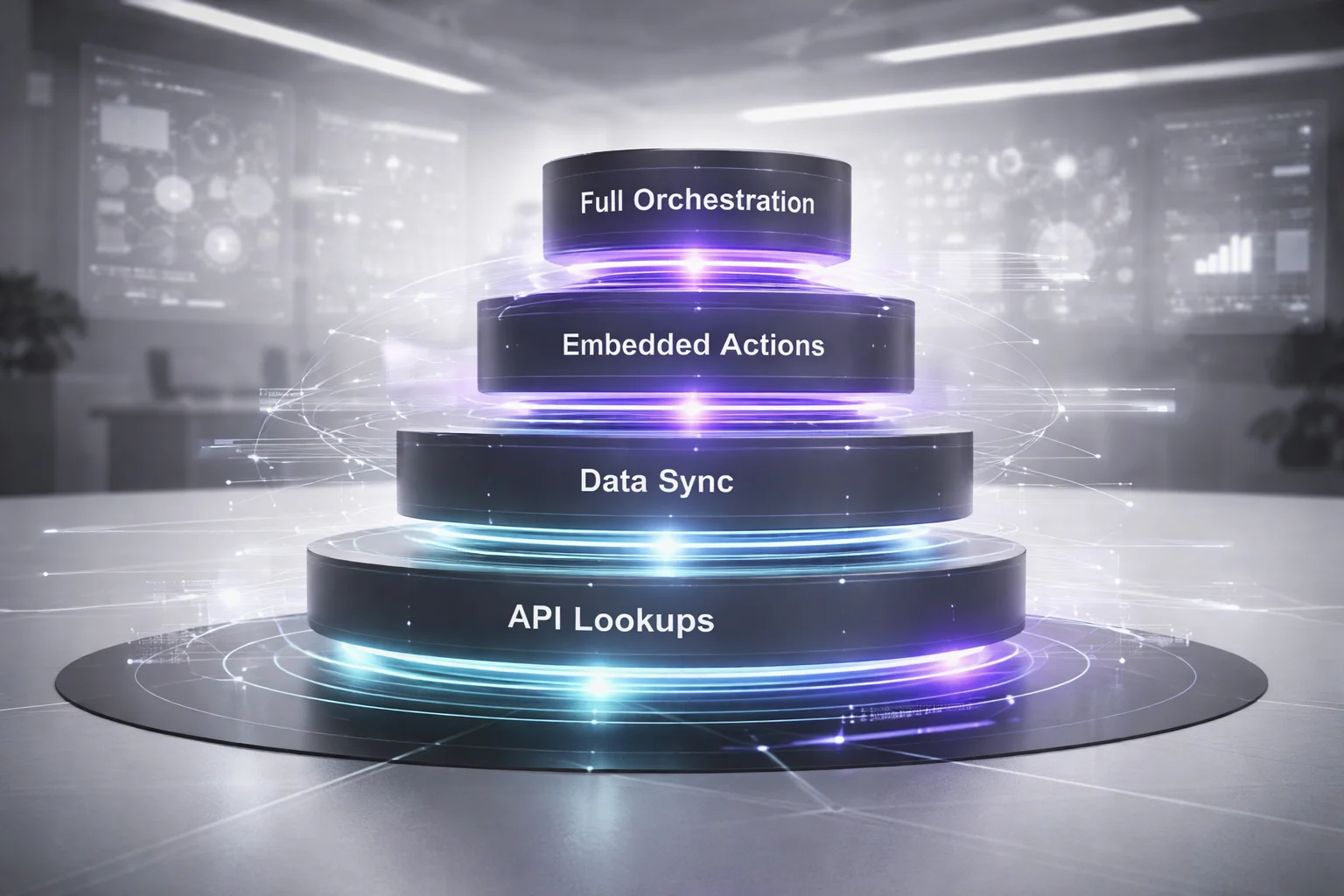
I’m not talking about some sci-fi failure case. I mean the boring version, the one that happens on a Tuesday after a decent pilot demo, when everybody’s feeling smart and somebody says, “If it can check request status, why can’t it approve the vendor change too?” That sentence has caused more trouble than most companies want to admit.
People still flatten agent integration into a yes-or-no question. Connected or not connected. Forbes pushed that basic line in 2026, calling integration the dividing line between concept and impact. Fine. True enough. But I’d argue that framing misses the part that actually blows up budgets and controls: depth.
A read-only lookup bot isn’t in the same class as an agent that can update records across finance, support, and operations. Not even close. Yet teams keep presenting them like minor variations of the same thing. Same excitement. Same funding logic. Same vague governance language. Then they act surprised when the low-risk pilot mutates into an operator with no grown-up controls around it.
That’s the answer. Depth is the thing people skip.
But once you say that out loud, things get messier fast. “Integrated” doesn’t tell you enough. You need a working taxonomy inside your business process agent framework that spells out how much authority an agent has, which systems it can touch, how far it can move through a process, and what happens if it gets something wrong at 4:47 p.m. on quarter close.
Level 1: Read-only lookup
This is where most pilots land because it’s useful, fast, and usually pretty safe.
The agent retrieves status, summarizes records, answers policy questions, maybe pulls from one or two APIs, then gives someone a plain-English answer without writing anything back. Think procurement: a manager asks whether a purchase request is stuck with Finance or Legal. The agent checks the workflow tool and maybe a document repository, then replies in seconds. Helpful? Sure. Transformative? Not really.
The cost here is low to moderate. The risk is relatively low too, because nothing downstream gets triggered and no system record changes hands. That ceiling matters. KPMG data cited by Lumenova AI said 65% of companies were piloting agentic automation in 2025, while only a small share had gone much deeper. That tracks. Level 1 ships in weeks—sometimes six, if the team’s focused—but nobody should confuse that with serious process redesign.
Level 2: Assisted action with human approval
This is where the agent stops being just informative and starts being useful in a way people can actually feel.
An AI process automation agent at this level prepares work instead of merely describing it. It drafts updates, routes cases, recommends next steps, gathers evidence, organizes files, and lines everything up for a person to approve. In insurance claims, for example, the agent can collect documents, check whether the file looks complete, draft payout notes, and route it into an adjuster approval flow.
You get real BPM value here because waiting time shrinks without giving software final authority. Humans are still in the loop, so failures are easier to contain. But don’t call this cheap just because nobody clicked “full autonomy.” Once people start approving machine-prepared actions, identity permissions, audit logs, and security controls become table stakes.
If a team’s trying to figure out whether a process belongs here before going deeper, this guide is useful: Ai Agent Business Automation Decision Augmentation.
Level 3: Transactional execution inside one system domain
This is the level where agents stop feeling like assistants and start behaving like operators.
Now the agent can actually do things inside one bounded environment: create tickets in Zendesk, update CRM stages in Salesforce, issue refunds within policy limits, open vendor cases, trigger service actions inside a single ERP module. One domain. Hard boundaries.
The payoff jumps because you’re removing manual work instead of shaving five minutes off research time. Jalasoft wrote in 2025 that automation technologies could affect 60% to 70% of routine work activities. A big chunk of that value sits right here at Level 3 without needing full AI workflow orchestration.
The risk jumps too. I think teams obsess over prompts way too much at this stage and underinvest in rollback design. Bad habit. One weak prompt probably won’t wreck your company; one badly scoped write permission absolutely can create chaos by Friday afternoon. I’ve seen teams spend three months tuning responses and almost no time deciding how to undo 800 mistaken updates if something goes sideways.
Level 4: Cross-system orchestration with bounded autonomy
This is what people usually imagine when they say “AI agents,” even though most aren’t anywhere near it yet.
This level means deep integration across ERP, CRM, ticketing systems, email, chat tools, knowledge bases, and approval layers—with orchestration rules and clear limits on autonomy holding it together. Deloitte’s point fits here: multiagent systems can automate whole workflows rather than isolated repetitive tasks. That’s not a small upgrade. It’s a different category entirely.
A returns workflow shows why this gets hard so fast. The agent checks order history in Shopify or SAP, pulls fraud signals from another source, opens a case in Salesforce Service Cloud, sends updates into Slack or Microsoft Teams, requests supervisor approval if the amount crosses something like $500, then closes accounting entries after confirmation comes back. At that point you’re not arguing about bots anymore. You’re doing operating model design with APIs attached.
The effort is high because every hard problem arrives at once: data foundations, governance rules, service-layer integration, exception handling design, old-fashioned organizational change. The upside can be highest here too. Merge reported in 2026 that companies were 24% more likely to build internal agents than customer-facing ones. Makes sense to me. Internal workflows usually produce cleaner value sooner than customer-facing experiments do.
How to budget by depth
AI agent implementation budgeting should track authority level more than interface polish.
A slick chat window means almost nothing if permissions are shallow. An ugly internal tool with deep execution rights can become one of the most expensive systems you deploy.
- Level 1: lower cost, faster launch, limited upside.
- Level 2: moderate cost with strong early ROI because HITL controls make failures cheaper to contain.
- Level 3: higher cost driven by permissions design, testing coverage, observability tooling, and rollback planning.
- Level 4: highest cost because you need workflow orchestration architecture, process mining inputs, exception handling design, governance councils, and change management across teams.
A PwC study cited by Merge found that 75% of executives believe agents will reshape work more than the internet did. Maybe they’re right. Maybe that’s just executive optimism doing what it always does. Either way—why would anyone fund Level 1 confidence with Level 4 capital?
How to Choose the Right Integration Depth
Here's the mistake I see constantly: teams treat deeper integration like it's automatically more mature. It isn't. Sometimes it's just a more expensive way to make a mess faster.

I think most bad calls on AI business process agent integration have almost nothing to do with technical fit. They come from social pressure. Budget finally clears in Q3. A vendor demo makes everything look clean. Nobody wants to sound timid in front of the board. I watched that happen with a COO who got nudged toward an end-to-end agent for order exceptions. On paper, it sounded bold. In practice, her process jumped across SAP, Salesforce, Zendesk, email approvals, and a homegrown pricing tool that had already broken twice that quarter. Exception rates were high. Audit rules were tight. Full autonomy there wasn't strategy. It was a six-week cleanup project waiting to happen.
They didn't need the deepest setup. They needed the right one.
The market's moving fast, sure. A 2026 Digital Applied report citing Gartner said 80% of enterprises already have at least one production application with an AI agent embedded in it. Lumenova AI, citing Deloitte, said 25% of enterprises using GenAI will have agents in pilot or production in 2025, rising to 50% by 2027. That's real momentum. Still doesn't mean every workflow deserves heavy AI workflow orchestration. Some teams overbuild because the tech is exciting. Others underbuild because they act like every workflow is just a chatbot with better manners. Both burn money.
If you want a sane answer, ignore the shiny demo and score five things.
1. Process criticality
If failure hits revenue recognition, customer trust, or regulatory exposure, don't hand over the keys on day one. Keep a human in the loop. Assisted execution is usually the smarter first move. A refund recommendation flow? Lower risk, smaller blast radius. A credit approval flow? Different world entirely. One bad automated approval can become compliance exposure, write-offs, and a finance team that's furious by Friday at 4:12 p.m.
2. Exception rate
High exception rates expose weak designs fast. If humans already step in all the time, pretending an agent will glide through those cases is fantasy. Run process mining first. Find where people intervene now. That's your map of where things actually break, not where the slide deck says they break. High-variation workflows usually need tighter controls inside your business process agent framework, not blind agentic automation.
3. Number of systems touched
This one sounds dull right up until it blows up your timeline. Every extra system means more integration work, permission issues, failure points, and oddball edge cases nobody mentioned during kickoff because nobody remembered them. Informatica said in 2026 that successful agentic AI orchestration depends on seamless integration across data, systems, and applications with governance built in. That's dead right. A claims flow touching three systems is one engineering problem. A one-system HR lookup bot is another problem entirely. Same label: agent. Totally different build effort.
4. Compliance and approval needs
If you need audit logs, role-based access, approval chains, and decisions you can actually trace later, your AI process automation agent needs to live inside formal business process management (BPM). Inside it. Not next to it. Not patched in after launch with exported CSV logs and Slack screenshots pretending to be governance. I've seen teams try that move. Looks clever for about two weeks, then audit season arrives and everybody suddenly gets very quiet.
5. Change tolerance and budget reality
A team that's still struggling with basic operating discipline isn't going to absorb Level 4 architecture just because leadership approved spend this quarter. I'd argue that's where a lot of AI projects go sideways: ambition outruns readiness by a mile. A 2026 Merge report citing PwC said 88% of executives are opening new budgets for internal AI initiatives. Fine. Spend where the org can actually support what it's buying. If you're really operating at Level 2, design for Level 2 and get wins there first.
What do you do with all that? Score the process before you chase autonomy: criticality, exception rate, systems touched, compliance load, change tolerance. Heavy on three or four? Keep the human involved and anchor the agent inside governed workflow infrastructure. Light across most of them? Don't build a cathedral for a lookup task.
The part people don't expect is this: restraint usually ages better than ambition. Six months later, the team that started smaller often looks smarter than the team that tried to automate everything in week one.
Budgeting for AI Process Agent Implementation
What are you actually buying when you approve an AI agent budget?

I’ve sat in those meetings where somebody shows a polished demo in Microsoft Teams, everyone nods, and the room starts acting like the hard part’s done. Last year, one leadership team watched an agent pull policy text from an internal system and turn it into a tidy draft. Nice trick. Clean screen. Applause energy.
Then the ask changed. Fast. They wanted that same agent to read a claim, decide what to do next, write back into the record, route an approval, and log every step for audit. Same project, they said. I didn’t buy that for a second.
Board decks love adoption stats because they sound like momentum. A 2026 Merge report said 43% of companies are already connecting agents to MCP servers, and another 53% expect to do it within 12 months. Fine. Interesting, maybe. Useful? Only if you ask the question people keep dodging: connected to what, with how much authority, across how many systems?
That’s the answer. Your budget lives or dies on AI agent integration depth.
Not whether you “have an agent.” Not whether the vendor can make it look smart in a demo. Depth. A lightweight pilot that reads from one source and posts updates in Slack is one thing. A real AI business process agent integration setup that reads, decides, writes, routes approvals, and keeps going when exceptions start flying is another thing entirely. Same category on paper. Completely different bill.
Usually a much bigger one. Deep integrations often cost 3x to 5x more. Not because somebody added prettier screens. Because now you’re paying for action modules, APIs, identity controls, testing coverage, governance rules, and rollback plans that don’t collapse the first time a downstream system throws an error at 2:13 p.m. on a Thursday. BCG said it plainly in 2026: AI agents act through enterprise system interfaces, tools, and data sources, and those action modules are built from APIs and system integrations that determine what the agent can actually do.
That’s why an AI process automation agent tied to BPM work gets expensive so fast. I’ve seen teams budget like they were buying a chatbot and then realize they actually needed permissions design, exception handling, audit trails, and support for four systems that all break in their own special way.
What realistic budget ranges look like
Forget vendor-demo fantasy numbers. If you’re doing serious AI agent implementation budgeting, price it by authority level and by system count.
- Shallow: $40k-$120k for read-only or assisted work across 1-2 systems. Think policy lookup plus draft responses in Teams.
- Mid-depth: $120k-$350k for human-approved actions across 2-4 systems. Think claims triage with approval workflows and audit logs.
- Deep: $350k-$1M+ for cross-system AI workflow orchestration, exception handling, security review, observability, and rollout support. Think order exception handling across SAP, Salesforce, Zendesk, and finance tools.
The jump between those ranges is the whole story. Reading is cheap. Acting isn’t.
The team you actually need
If you go cheap on governance and integration talent up front, you’ll pay for it later.
- Process owner: maps decisions and KPIs.
- BPM or operations lead: lines the workflow up with actual operating rules.
- Solution architect: designs service connections and permissions.
- Integration engineer:b handles APIs, MCP setup, and error handling.
- ML or agent engineer: tunes prompts, tools, memory boundaries, and fallback logic.
- Security and compliance lead:b reviews access control and data governance.
- QA/test lead: validates failure paths and human-in-the-loop steps.
Don’t skip QA. I mean it. People treat testing like cleanup work right up until cleanup costs seven figures. Security mistakes aren’t abstract governance problems; they come with invoices attached. The 2024 IBM Cost of a Data Breach report, cited by Bizdata360, put the average breach cost at $4.88 million.
The phases most teams forget to fund
You should budget five phases from day one.
- Discovery: process mining, RPA vs AI agents assessment, system inventory, risk review.
Build: tool wiring, prompts, policy rules, workflow orchestration logic.Testing: exception cases, permission failures,b ad inputs,a pproval routing.Governance: audit trails, monitoring thresholds, escalation paths.Rollout: pilot launch, user training, phased expansion by workflow volume.
A PwC-cited 2027 forecast says 86% of executives expect agents to improve process automation. Sure they do. Expectation is cheap. Delivery isn’t.
If you want your Autonomous Agent Mesh Business Automation plan to survive contact with reality, start with one workflow inside yourbusi`ness process agent framework, price it by depth, fund governance early, and stop pretending agentic automation is just software plus optimism. So what’s your budget really buying: a demo that reads data back to you, or a system that can take action without blowing up?
What to do this week
AI business process agent integration only creates real business value when you match the agent’s depth to the actual process, systems, risk, and human decision points instead of chasing autonomy for its own sake.
Start by picking one workflow and mapping where the agent can read, recommend, act, and escalate. If you skip that step, you'll buy a clever demo and inherit a brittle mess. Watch your approval workflows, API integrations, security and access control, and monitoring from day one, because that's where pilots quietly turn into expensive rework.
Your next move isn't “add more AI.” It's decide how much authority the agent should have, where human-in-the-loop checks stay in place, and what success looks like in agent performance metrics.
This week, do three things: define one process with clear handoffs across systems; score it for risk, exception rate, and data quality; set a budget line for integration work, observability, and HITL approvals before you approve the pilot.
FAQ: AI Business Process Agent Integration Depth
What is an AI business process agent?
An AI business process agent is software that can read context, make limited decisions, and take actions inside a workflow using system integrations, APIs, and business rules. Unlike a basic bot, it doesn't just follow a rigid script. It can handle exceptions, route work, draft outputs, and trigger approval workflows across tools like Salesforce, SAP, ServiceNow, or Microsoft Teams.
How does integration depth affect AI agent success?
Integration depth decides whether your agent is just giving suggestions or actually moving work forward inside the business. Shallow setups can summarize or recommend, but deeper AI business process agent integration lets the agent update records, trigger downstream tasks, and participate in AI workflow orchestration. That's where value shows up, but it's also where security, monitoring, and error handling start to matter a lot more.
Why do demos mislead buyers evaluating AI process automation agents?
Most demos show a clean happy path with perfect data, one system, and no approval bottlenecks. Real operations are messier. The hard part isn't the chat window, it's the business process agent framework behind it, including identity controls, API integrations, exception handling, and human-in-the-loop checkpoints.
Can an AI business process agent replace RPA?
Sometimes, but not cleanly and not always. RPA is still good at deterministic, repetitive actions on stable interfaces, while an AI process automation agent is better when work involves judgment, unstructured inputs, or changing conditions. In practice, many teams use both, with RPA handling fixed steps and AI agents managing decisions, routing, and edge cases.
Does an AI process agent need human approval for high-risk workflow steps?
Yes, usually it should. High-risk actions like issuing refunds, changing contract terms, approving payments, or updating sensitive customer data need human-in-the-loop controls and clear approval workflows. A good design gives the agent room to prepare the work, but keeps final authority with a person where legal, financial, or brand risk is high.
What budgeting factors matter most in AI agent implementation?
Most teams underestimate integration work and overfocus on model costs. Your AI agent implementation budgeting should include API development, system integrations, access control, testing, observability, fallback logic, and ongoing support. According to a 2026 Merge report, 70% believe implementing authentication, error handling, and normalized data models for MCP integrations requires significant technical expertise, which means real labor cost, not just software spend.
How should an AI process agent connect to core systems like CRM, ERP, and ticketing platforms?
It should connect through governed interfaces, not random direct access. That usually means API integrations, service layer integration, event-driven architecture, and scoped permissions tied to specific actions the agent is allowed to take. According to BCG, AI agents use enterprise system interfaces, tools, and data sources to perform tasks, which is exactly why connection design can't be an afterthought.
How do you measure ROI after rolling out an AI business process agent?
Start with process-level metrics, not vanity metrics. Track cycle time, completion rate, exception rate, escalation volume, agent performance metrics, labor hours saved, and error reduction before and after rollout. If your AI business process agent integration is deep enough to touch real operations, the ROI should show up in throughput, cost per transaction, and faster approvals, not just in user excitement.